
Connecting TikTok
TikTok is connected the same way as every other platform — from the publisher’s collaboration page — but it has two separate connections, and they are not interchangeable.
| Connection | Gives InsightsRN |
|---|---|
| TikTok | Metrics for the creator’s own videos |
| TikTok Business | Ad-account data, including boosted content, plus an advertiser ID |
A publisher can have one or both. If a campaign involves boosted TikTok content, you need TikTok Business as well.
Before you begin
Section titled “Before you begin”The publisher will need:
- A working TikTok account
- For the Business connection, a TikTok for Business account that can perform ad boosting for those pages
Getting to the collaboration page
Section titled “Getting to the collaboration page”Identical to every other platform: All Publishers → open the publisher → Connect Social. The page, its Connected / Not Connected indicators and the connection controls are all described in Connecting a publisher’s accounts.
Connecting TikTok
Section titled “Connecting TikTok”1. Open the connect link and click Connect To TikTok — or use the three-dot menu at the right and choose Connect. No login to InsightsRN is required.

2. Log in to the TikTok account.
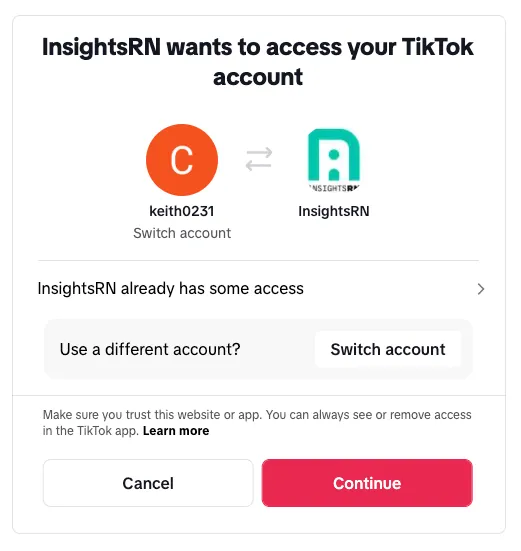
3. They return to the link page, where TikTok now shows Connected.

Connecting TikTok Business
Section titled “Connecting TikTok Business”1. On the same connect link, click Connect To TikTok Business — or use the three-dot menu and choose Connect.

2. Log in to the TikTok Business account.
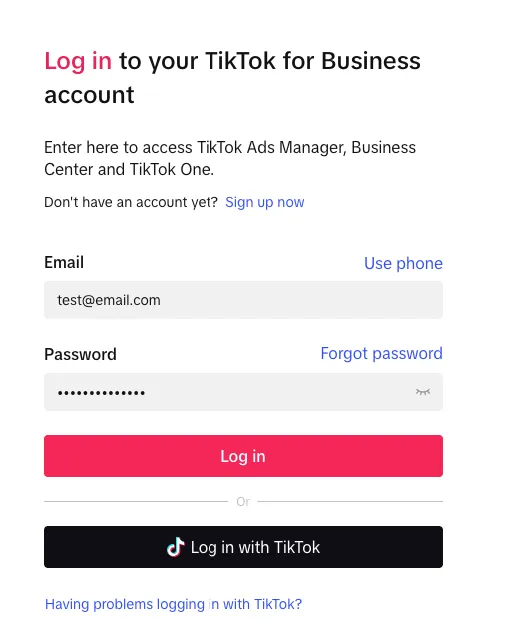
3. Grant the requested permissions.
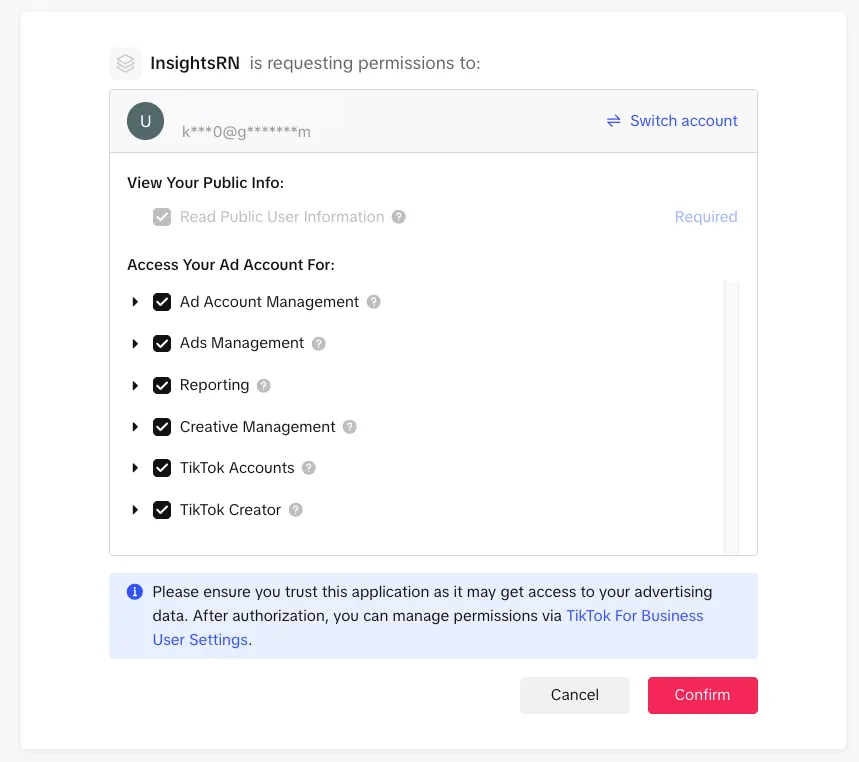
InsightsRN requests read access across ad account management, ads management, reporting, creative management, TikTok accounts and TikTok creator data.
4. Select the TikTok Advertiser IDs associated with the Business account you want to link.
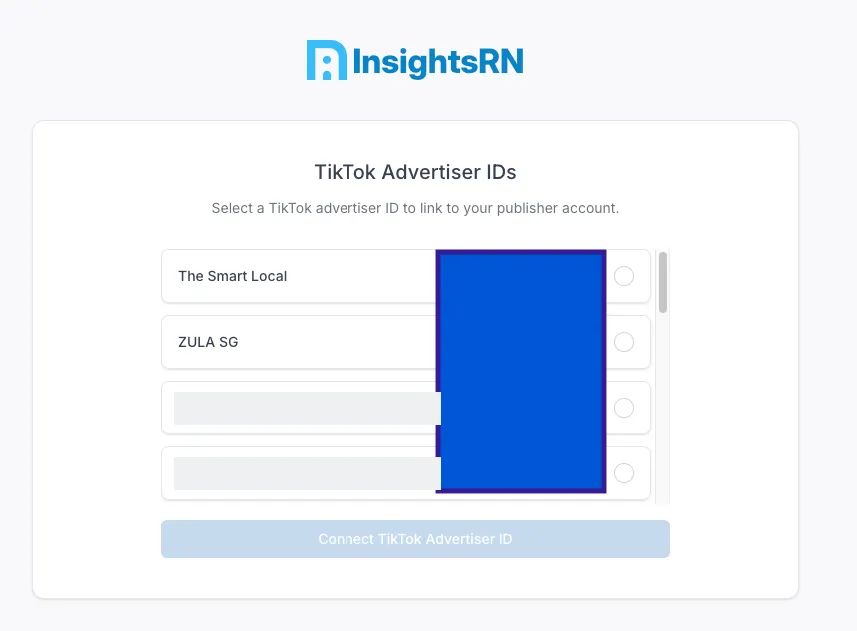
5. They return to the link page, where TikTok Business now shows Connected.

Verifying it worked
Section titled “Verifying it worked”The collaboration page should show Connected for the connection you made. If TikTok deliverables still return no data, check that you connected the right one — video metrics need the TikTok connection, and boosted-content data needs TikTok Business.
If both look right, work through Understanding your data.
Related
Section titled “Related”- Connecting a publisher’s accounts — Facebook and Instagram
- Social integrations — every platform at a glance