
Subscription and billing
InsightsRN subscriptions are billed through Stripe.
Where to find it
Section titled “Where to find it”Admin → Subscription.
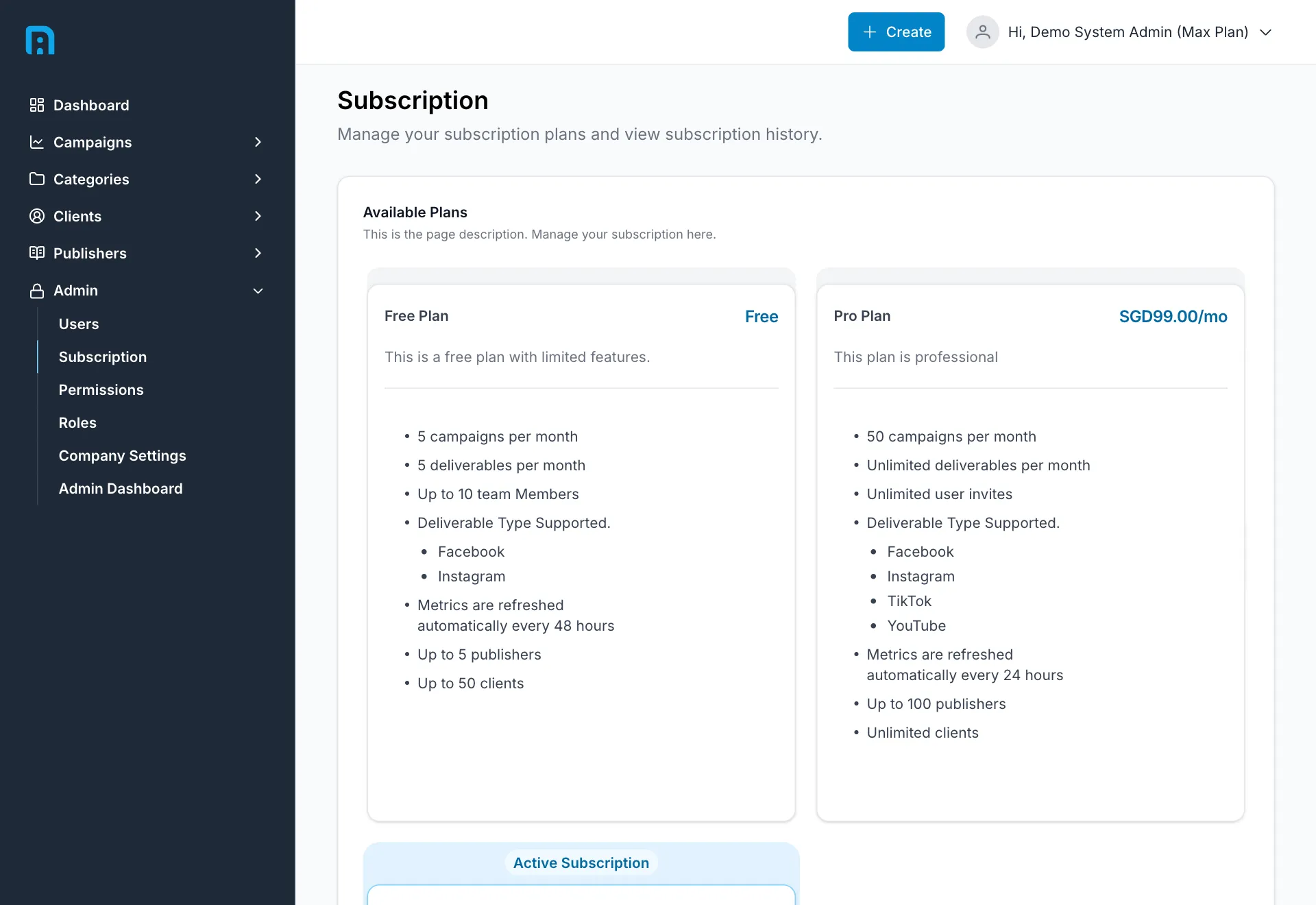
The page has three parts: your current Subscription, the Available Plans you can move to, and your Subscription History.
What a plan controls
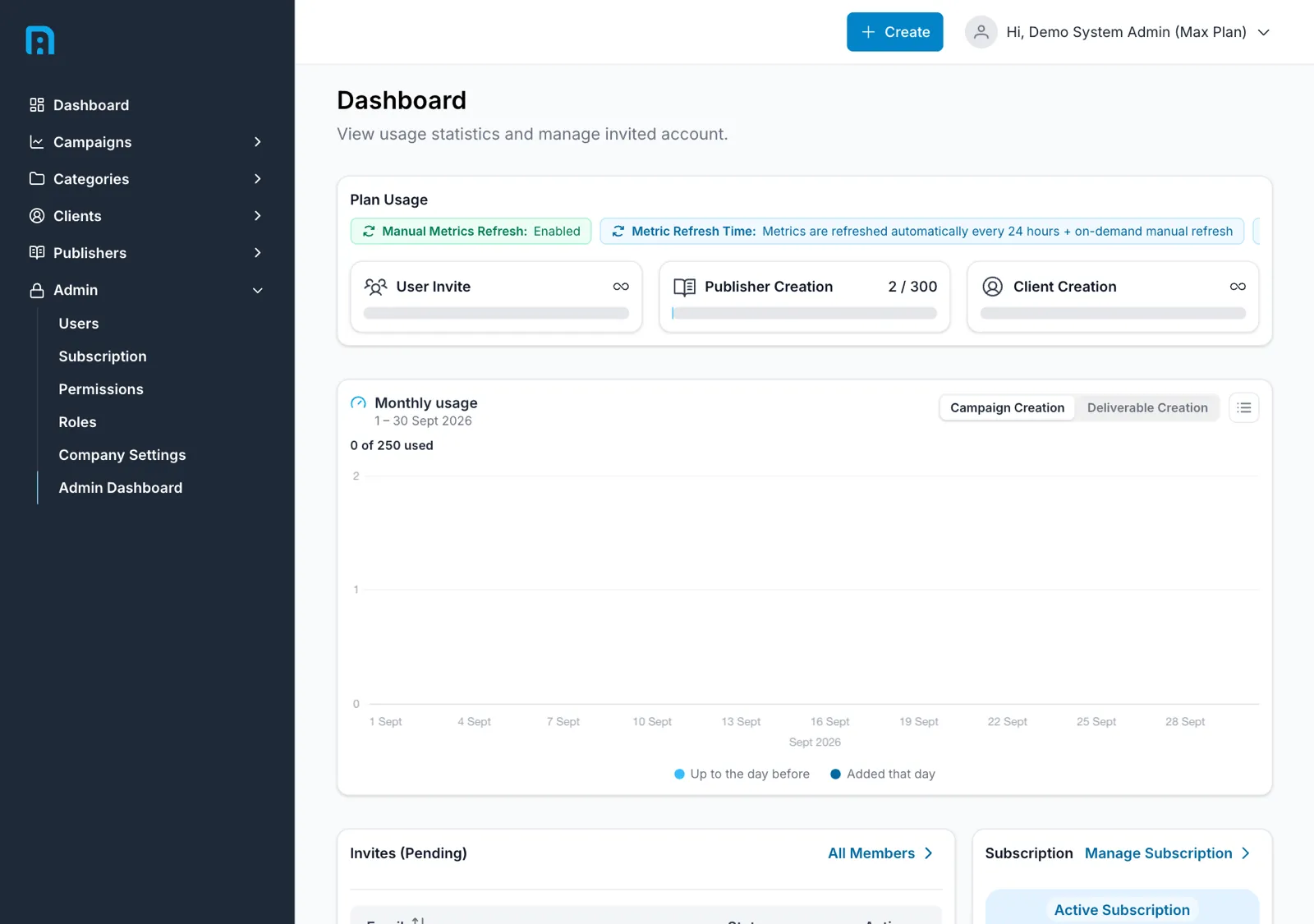
Section titled “What a plan controls”A plan sets your company’s limits — how many campaigns you may run, how many deliverables you may track per platform group, how many publishers and clients you may create, and how many people you may invite.
When you hit a limit, the app refuses at the point of creation rather than silently dropping data.
A plan also decides which platforms you can track and how your metrics refresh:
| Free | Pro | Max | |
|---|---|---|---|
| Facebook, Instagram | ✅ | ✅ | ✅ |
| YouTube, TikTok | — | ✅ | ✅ |
| Automatic metric refresh | Every 48 hours | Every 24 hours | Every 24 hours |
| Refresh Metrics on demand | — | — | ✅ |
The Refresh Metrics button on a deliverable is a Max feature. On Free and Pro it is not shown at all, and metrics arrive on the automatic schedule above — see Understanding your data.
Available plans
Section titled “Available plans”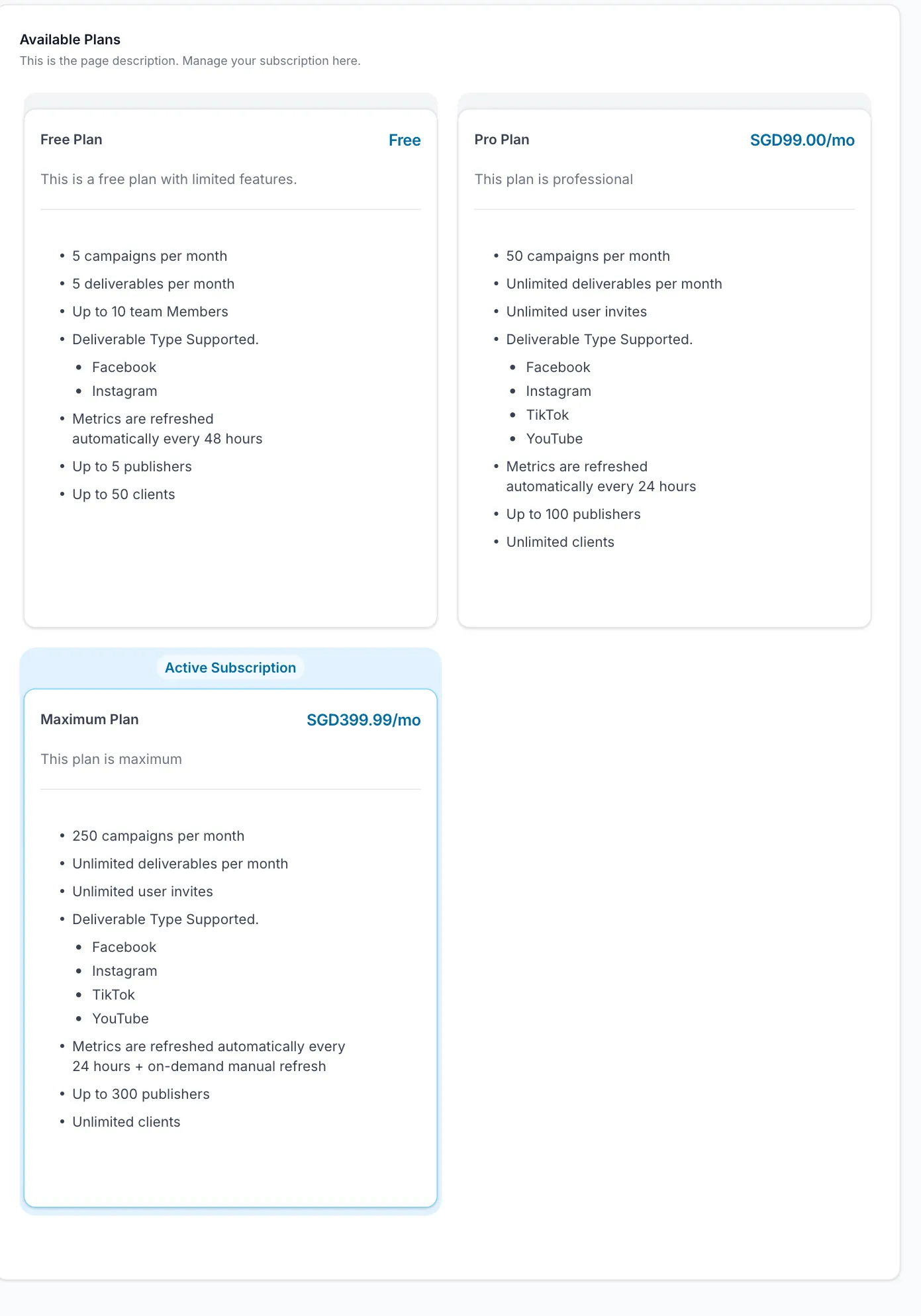
Each plan is shown with what it includes so you can compare before switching.
Subscription history
Section titled “Subscription history”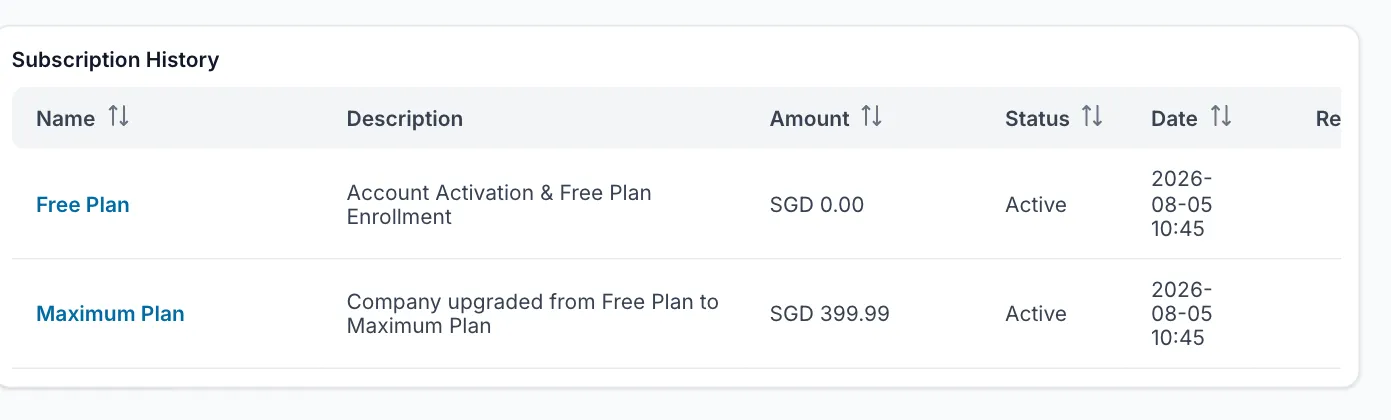
Every charge is listed with its Name, Description, Amount, Status, Date and a Receipt link. Receipts come from Stripe.
If a limit looks wrong
Section titled “If a limit looks wrong”Limits can be overridden per company by the InsightsRN team without changing your plan. If what the app enforces does not match your agreement, raise it with support rather than changing plan.
Related
Section titled “Related”- Dashboard — plan usage at a glance
- Company settings