
Account settings
Your personal settings live under the account menu in the top-right. They affect only your own login — settings that apply to the whole company are administrator territory, under Company settings.
Profile
Section titled “Profile”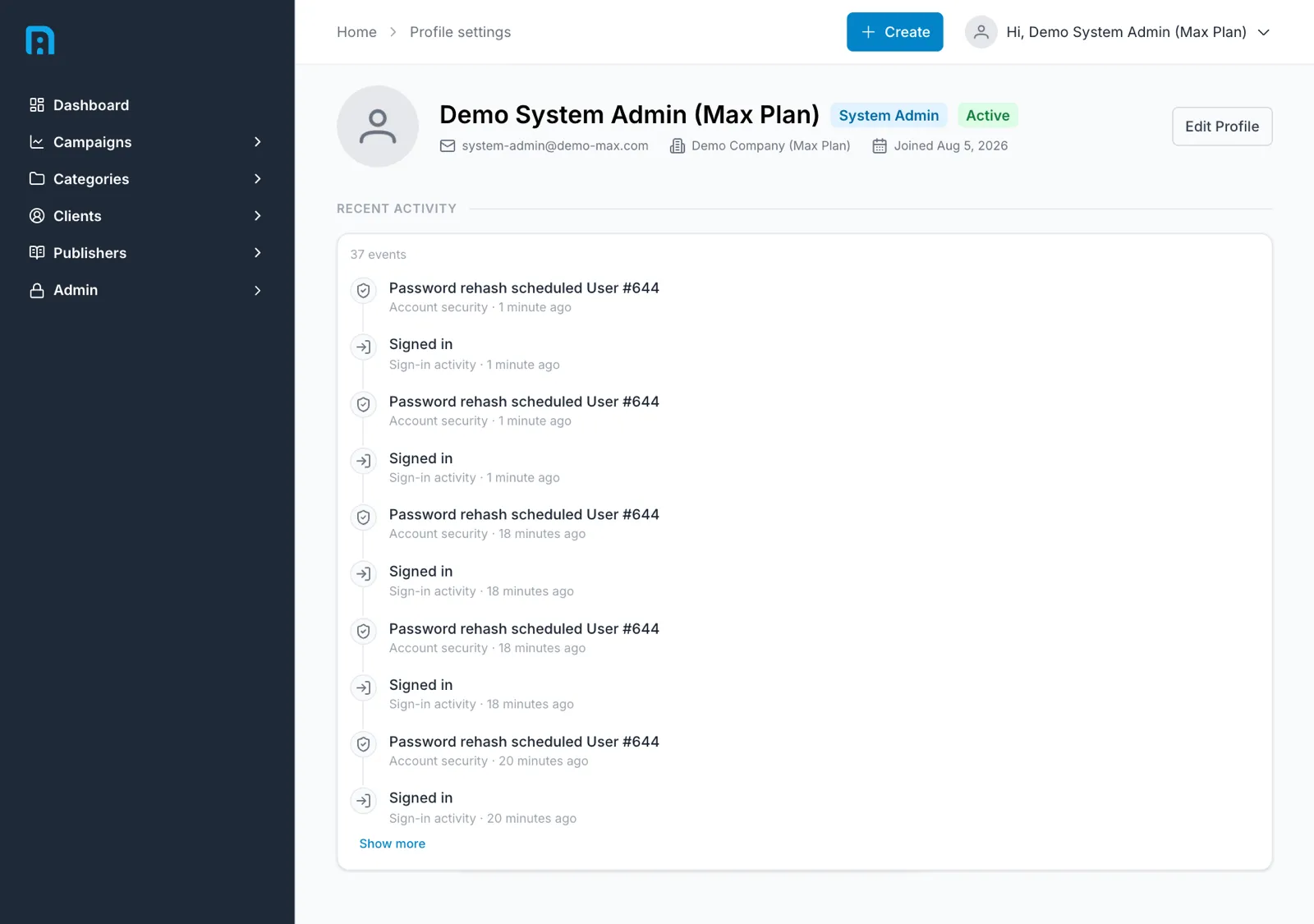
Profile settings is the main page, and it shows more than a name.
Your identity
Section titled “Your identity”Alongside your name and avatar you get:
| Role badge | The role you hold — for example System Admin. See Roles and permissions |
| Status badge | Whether your account is Active |
| Email, Company, Joined | Your address, the company you belong to, and when you joined |
Edit Profile changes your own details.
Recent activity
Section titled “Recent activity”Below your details is a feed of what has happened on your account, with a total event count. Each entry is categorised — Sign-in activity for logins, Account security for credential-related events — with how long ago it happened. Show more expands the list.
It is worth a glance if you ever suspect someone else has used your account: unexplained sign-ins show up here.
Changing your password
Section titled “Changing your password”Use the password-reset link on the sign-in page. If the reset email never arrives, an administrator can reset it for you from Team and users.
There is only one settings page
Section titled “There is only one settings page”Settings in the account menu goes straight to Profile settings. There is no settings sub-navigation behind it, so if you are looking for a list of settings sections, you have not missed one — everything personal to your login is on that single page.
Settings that apply to the whole company are administrator territory and live elsewhere, under Company settings.
Related
Section titled “Related”- Getting started — signing in
- Company settings — account-wide settings
- Roles and permissions