
Social integrations
InsightsRN reads metrics from each platform’s own API. That requires an authorised connection to the account that owns the content — you cannot track a post from a URL alone.
Supported platforms
Section titled “Supported platforms”| Platform | Used for | Availability |
|---|---|---|
| Posts, photos/albums, videos, reels, live | All plans | |
| Posts, stories, reels | All plans | |
| YouTube | Videos, shorts, live | Paid plan |
| TikTok | Videos | Paid plan |
| TikTok Business | Ad-account data, including boosted content | Paid plan |
All of them are connected by the creator from their own connect page.
TikTok Business is a second, separate connection alongside TikTok — see Connecting TikTok.
Deliverable types per platform: Supported platforms and deliverable types.
How connections work
Section titled “How connections work”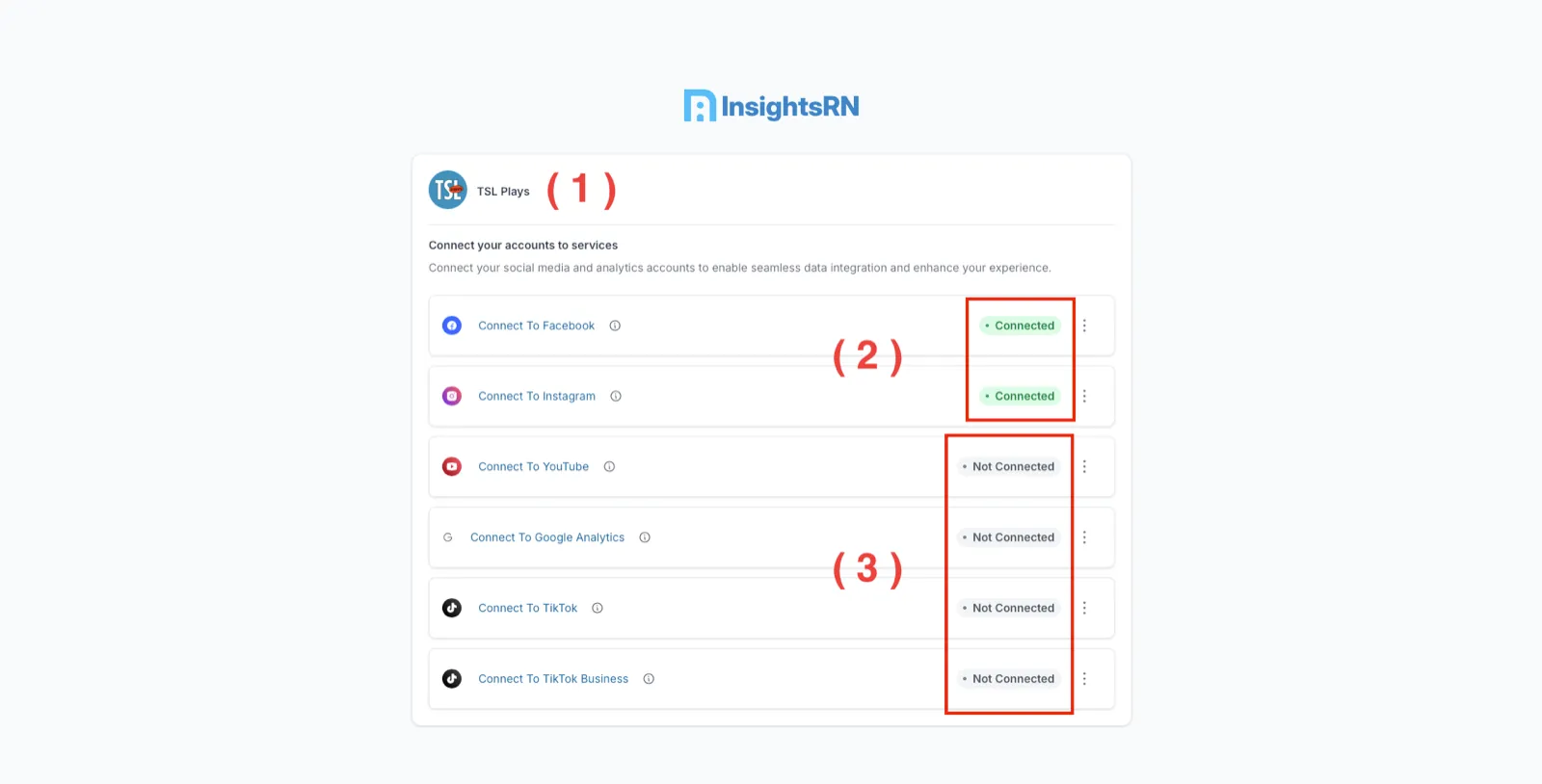
Connections are made per publisher, not per company. You send the creator a connect link, and they authorise InsightsRN against their own account. Nothing is typed in by hand.
Step-by-step walkthroughs:
- Connecting Facebook and Instagram — including the Instagram Professional account and connected-Page prerequisites
- Connecting TikTok — TikTok and TikTok Business
YouTube follows the same shape: start from Connect Social on the publisher, and the creator signs in to their Google account and grants access.
Connections expire
Section titled “Connections expire”Platform tokens have finite lifetimes, and creators can revoke access at any time. When a connection lapses, crawls for that publisher’s deliverables stop.
Reconnecting
Section titled “Reconnecting”Send the creator their connect link again and have them repeat the flow for the affected platform. Historical data already collected is not lost, and crawling resumes from the next scheduled run.
If a connection needs to be cleared first, the revoke action sits in the more menu beside each platform on the connect page.
Related
Section titled “Related”- Publishers — connection status per creator
- Understanding your data